Self-hosting
Self-hosting without the server headache
There are no Docker files to write, no environment variables to fill in and no proxy to configure. If you can paste a command into a terminal, you can run ClientOS.
Your client portal. Your server. Your data.
What you get
7 things self-hosting does
-
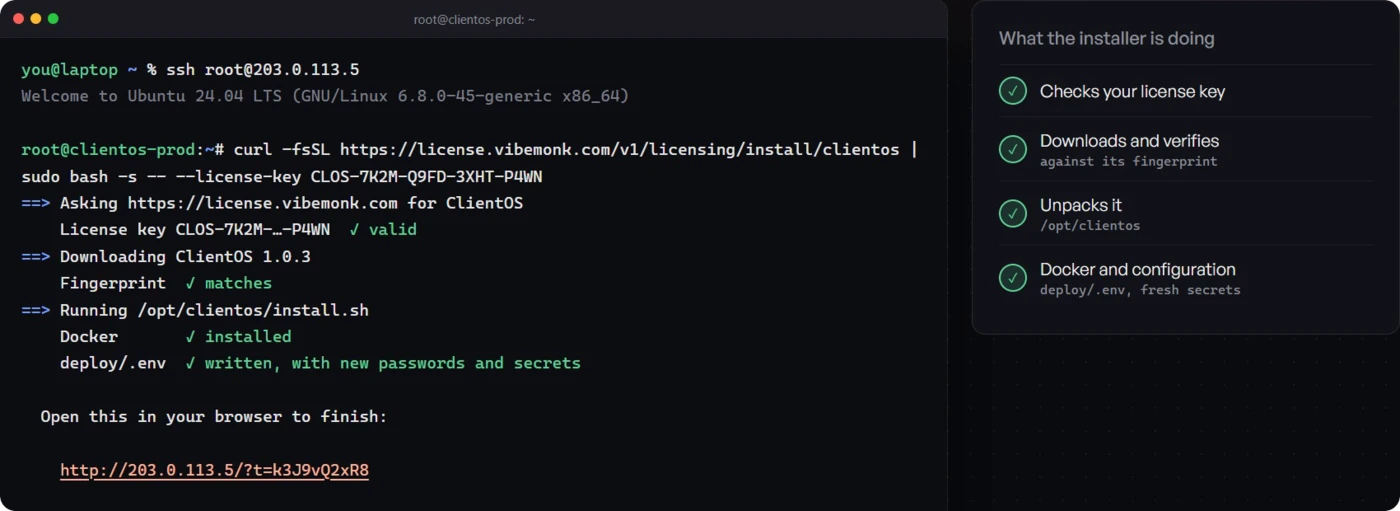
One domain, one A record
Point one address — clients.youragency.com, say — at your server with a single A record. The portal is at /, the admin at /admin and the API at /v1, all on that one domain.
-
One command installs everything
The installer checks the server and your license, installs Docker if it is missing, generates every password, downloads ClientOS with every file verified, and turns on HTTPS through Caddy and Let’s Encrypt.
-
Finish in the browser
A setup page, guarded by a key only your terminal has seen, takes your agency name, region, two brand colours and the owner account. Seven short steps.
-
A modest server is enough
Ubuntu 22.04 or 24.04, or Debian 12, with 2 GB of memory minimum and 4 GB recommended, 1–2 vCPU and 10 GB of free disk. Hetzner, DigitalOcean, Vultr, Linode and AWS Lightsail are all named in the docs.
-
One command each, after that
clientos update backs up, downloads and restarts; clientos rollback goes back one release; clientos backup writes the database, files and settings into a folder you can copy anywhere.
-
Nothing else to schedule
Renewals, reminders, auto-approvals and overdue chasing run inside the API, claimed in PostgreSQL. There is no separate worker and no system cron to set up.
-
Switch off what you do not use
Seven modules — help desk, messages, coupons, subscriptions, forms, traffic tracking and the referral programme — can each be turned off. The menus disappear and the data stays.
Where this comes from. Area 12 (Self-hosted) of getclientos.com/features, plus the installation docs, read on 29 October 2026. Check any line of it against that section of getclientos.com/features or the official docs for this area. Nothing on this page adds a capability those pages do not state.
In the product
See it in ClientOS
One A record, one command, and ClientOS runs on your own Linux VPS: Docker, PostgreSQL, file storage and automatic HTTPS. Update, back up and roll back with one command each.
Click through it in the instant demo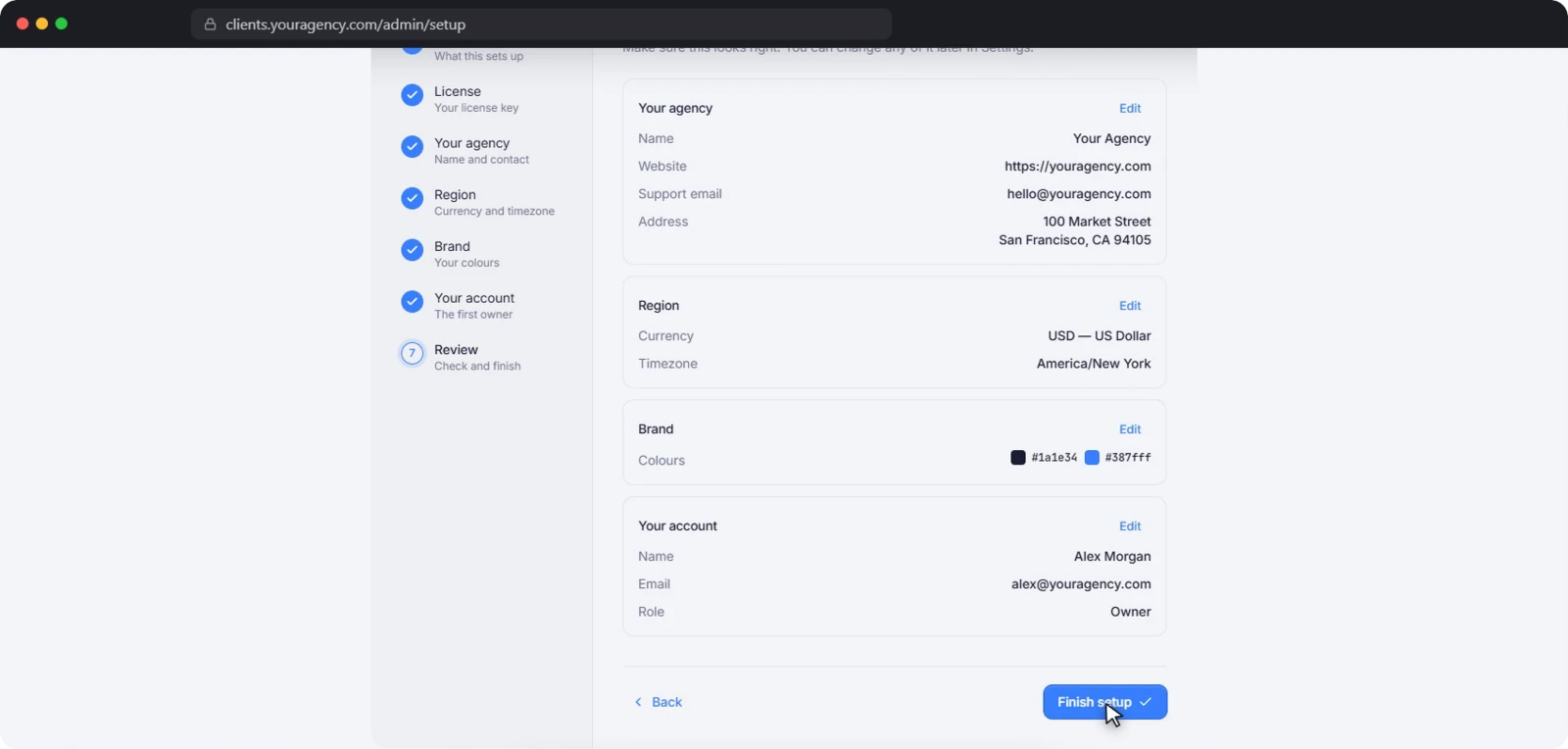
Either way
Runs on your own server
Every feature above runs inside one installation on a Linux VPS you control, on one domain of your own.
- Your database Clients, orders, messages, invoices and files live in your own PostgreSQL.
- One thing leaves it A license check-in twice a day: the signed license and the version you run.
- No per-seat charge Licensed per domain; every package states unlimited clients, staff and orders.
Keep exploring
The other feature areas
Store and checkout
Sell productized services from your own domain: a sales page per service, five pricing models, packages, add-ons, coupons and a checkout that only creates an order once payment clears.
Read moreOrders and delivery
Briefs, statuses, hand-overs, revisions and approvals that auto-close when a client goes quiet — plus a team task board that builds its own cards from orders and tickets.
Read moreInvoicing and finance
Gapless invoice numbering, pay links, partial payments, credit notes and subscriptions that bill themselves — with profit and loss, expenses and margin by service.
Read moreWhite-label
Your domain, five logo slots and two brand colours that repaint the portal, admin, sign-in, emails and invoices. Rename the words clients read. Clients never see ClientOS.
Read moreMessages and help desk
A conversation per client and per order, team channels, priced offers accepted in chat, and a built-in help desk with first-response targets counted in your business hours.
Read moreLeads and growth
Capture leads from your website, work them through a pipeline with source and value, track short links and a funnel to paid, and reward the partners who send you work.
Read moreSecurity and data
Clients, orders, invoices and files stay in your own PostgreSQL database. AES-256-GCM sealed keys, expiring signed file links, 2FA, 122 permissions and an audited read-only sign-in-as.
Read moreSee it working before you decide anything
The instant demo emails you a login to a live ClientOS — the full agency admin and client portal with sample data. Read-only, so you can click anything. Your login works for 3 days. No call, no card.